Port of Montreal
St. Lawrence terminals, cutoffs and Quebec taxes.

Toronto rail ramp drayage
Toronto-area drayage is mostly rail work: pulling boxes off trains at CN Brampton and CPKC Vaughan, delivering them, and getting the empties back. This page covers how Dispatch Board fits that job.
CN’s Brampton Intermodal Terminal and CPKC’s Vaughan Intermodal Terminal are the large intermodal rail ramps serving the Greater Toronto Area. Containers arrive by rail from ports on both coasts, and trucking companies collect them for delivery to warehouses and distribution centres, then bring the empties back. Both ramps are described as running around the clock, and congestion at ramps is a recurring complaint. Confirm current gate and pickup rules with CN and CPKC.
This is a ramp, not a port, and the money problems differ: a box can sit at the ramp, storage can start, and the driver can wait in line.

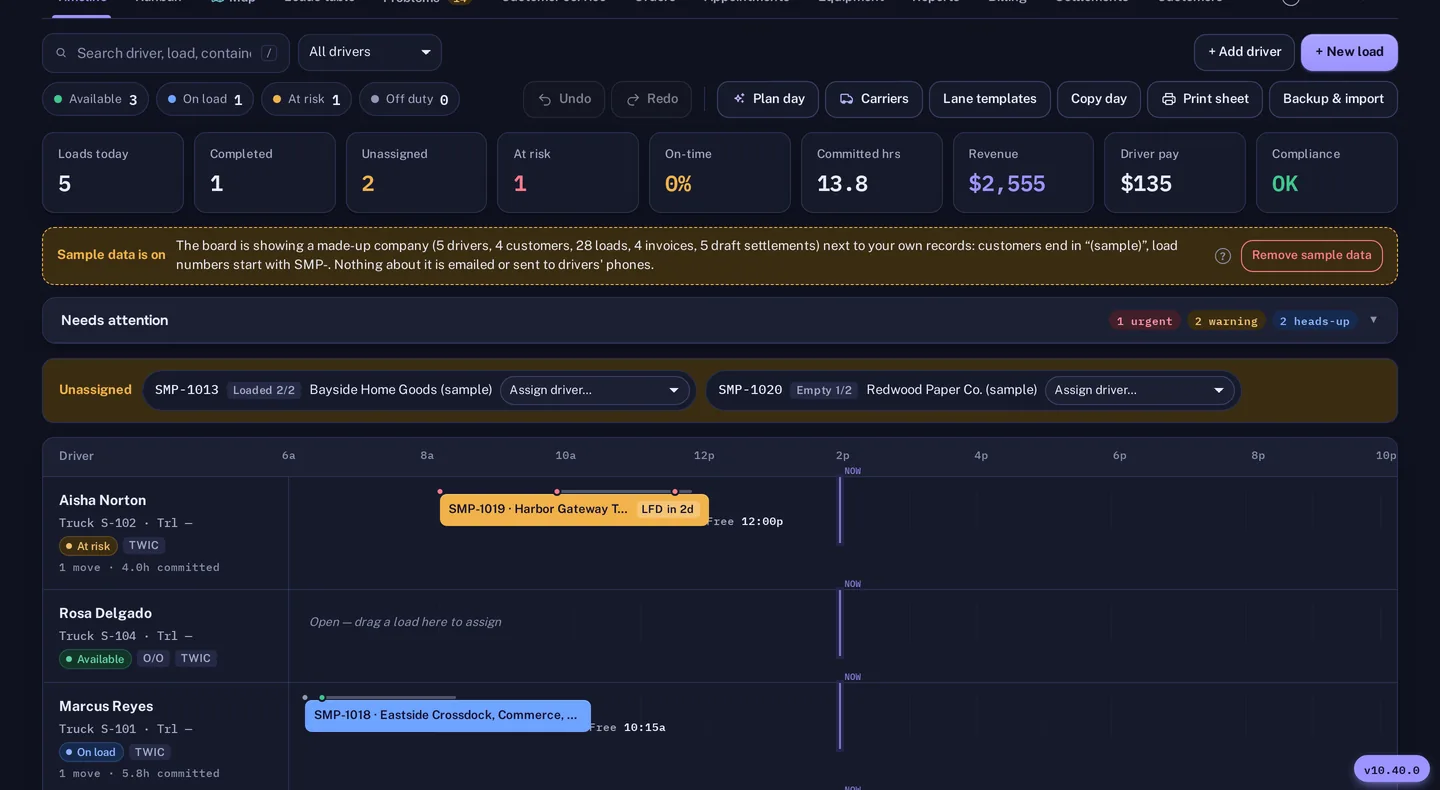
The date that matters is the last free day. Container tracking through Terminal49 keeps availability and last free day on the load where Terminal49 covers the line and ramp, so check coverage on your own boxes. The Problems tab collects holds, last free days, late moves and missing information in a single list. Hold alerts appear before a driver is sent to a box that cannot be released.

Truck queues are the other cost. The waiting-time audit uses GPS pings inside a geofence around the ramp and can attach wait documents to the load, so detention billing is backed by timestamps. Where a customer should pay for a late delivery or a long wait, accessorial rules in the rate profile carry the charge to the invoice. Per diem, when it is charged, shows the reason for each day, such as a hold, the container not being available, a later appointment or a late customer delivery.
Returning an empty is half the trip. Empty return restrictions are kept by place, line, size and dates, with the alternative return place. Street turn and dual transaction suggestions skip an empty the place will not take that day. This can save an empty run back to the ramp, though whether a street turn is allowed still depends on the line and the customer.
Invoices support HST, which is 13 percent in Ontario, along with GST, QST and PST, and CAD or USD. Distances can be in kilometres or miles. Carriers also deal with Ontario’s CVOR, the commercial vehicle operator registration. Dispatch Board does not file anything for you, but the compliance calendar warns you of expiries on trucks, chassis, trailers and drivers. IFTA reports with fuel card imports, DVIR inspections and maintenance schedules are included, and GPS can come from Samsara, Motive or One Step GPS.
Warehouse customers call to ask when a box will arrive. With the customer portal, they see loads, documents, projected charges and hot and ready-to-return dates, and a public tracking link needs no login. Status emails and WhatsApp messages can be sent from the load. The portal is on the Medium plan and above.
The driver app is a web app drivers add to the home screen. Each move shows stops, documents and a to-do list. Photos, signed PODs and PDFs are saved on the phone and uploaded when signal returns. Drivers can chat with dispatch on each load and pick a free chassis from the equipment list.
There is no automatic booking of ramp appointments, no EDI and no QuickBooks Desktop sync. Dispatch Board does not read the ramps’ own systems. See Montreal or the container tracking page.
Self sign-up gives you a company with sample data and a get-started checklist, so you can look around before you enter anything of your own. Then bring in your real freight: import drivers, trucks, chassis, customers, rate tables and loads from Excel, CSV or a PDF rate sheet. The importer matches columns by heading, checks every row before saving and flags duplicates.
Add your terminals and their gate hours, invite your drivers to the driver app, and run a real week alongside your current system. The Help Center has a guide for every screen. A bar at the top of the board shows the days left in the 14-day trial, and the account owner gets an email two days before it ends. Plans are month to month, and you can download a backup file and a CSV of your loads at any time.
Questions
No. It does not connect to the railways’ systems. Tracking comes through Terminal49 where covered, and you enter closures and rules yourself.
A waiting-time audit uses GPS pings in a geofence and wait documents, so detention claims have evidence.
Yes. GST, HST, QST and PST are supported on invoices.
Yes, through the customer portal on Medium and above, or a public tracking link.
Yes, 14 days with no card needed. Plans are priced per truck in Canadian dollars.
St. Lawrence terminals, cutoffs and Quebec taxes.
Terminal49 tracking, last free day, vessel ETA, holds and closures.
A reason for every charged day, rebill and dispute letters.
Every company gets 14 days free with no card. Import a week of your own freight and judge it yourself.