Step 1
Complete the load
Set up the rate profile, tariff and accessorial rules for the customer, or import them.
Invoicing and billing
Rate profiles, accessorials, a billing queue of loads ready to invoice, credit limits and aging, with QuickBooks Online and Xero sync.
Overview
In drayage, one move can carry linehaul, a fuel surcharge, waiting time, per diem, chassis charges and other accessorials. If those live in different places, invoices go out late, or go out missing a charge. The money you forgot to bill is the money most likely to stay forgotten.
Dispatch Board keeps rates and accessorial rules in the system and puts finished loads in a billing queue, so the person billing sees what is ready, what is missing and what each load earned. Customer invoices are part of every plan, including Lite. Canadian dollars, US dollars and Canadian sales taxes are built in.
Rates & Rules
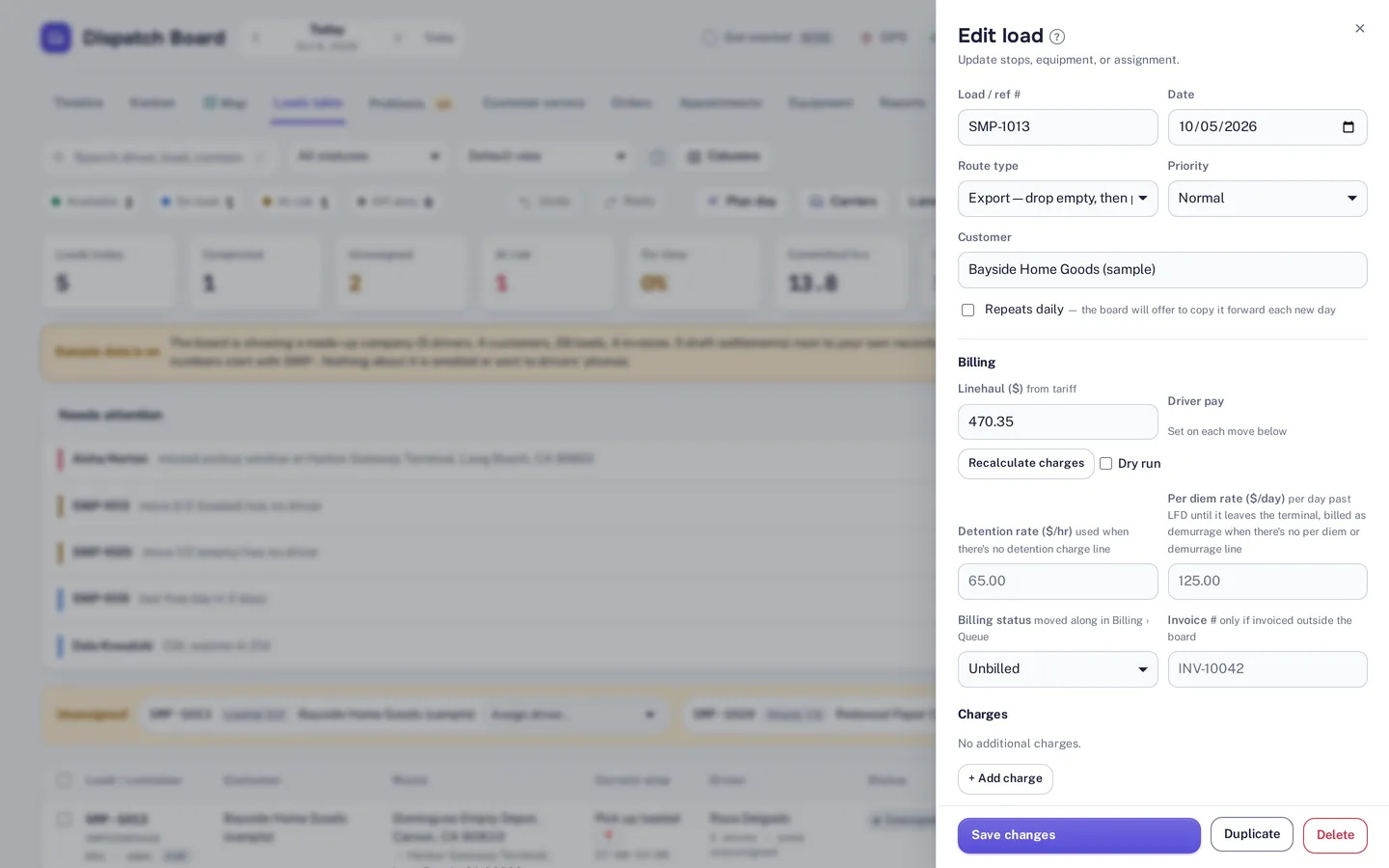
Rate profiles, tariffs and accessorial rules define what a customer pays, and a fuel surcharge table covers the fuel line. Loads, invoices and pay can be in CAD or USD, and GST, HST, QST and PST are supported. You can use kilometres or miles. If you already have a rate sheet, import it from Excel, CSV or PDF, with every row checked before saving.
Detention and per diem rates also sit on the load, beside its billing status and charges. That is what lets the billing queue and the per diem and detention tools work from the same record.

Billing
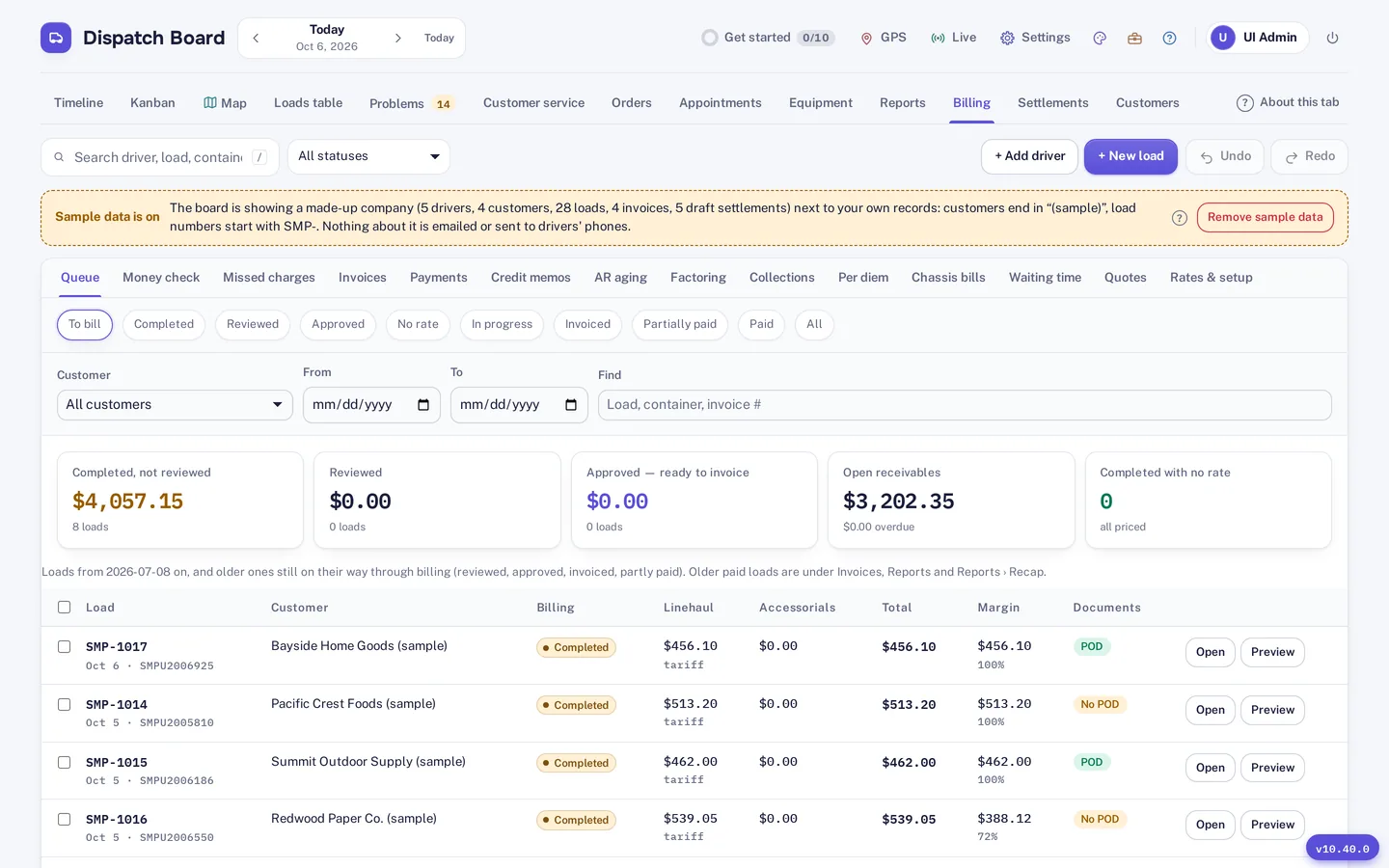
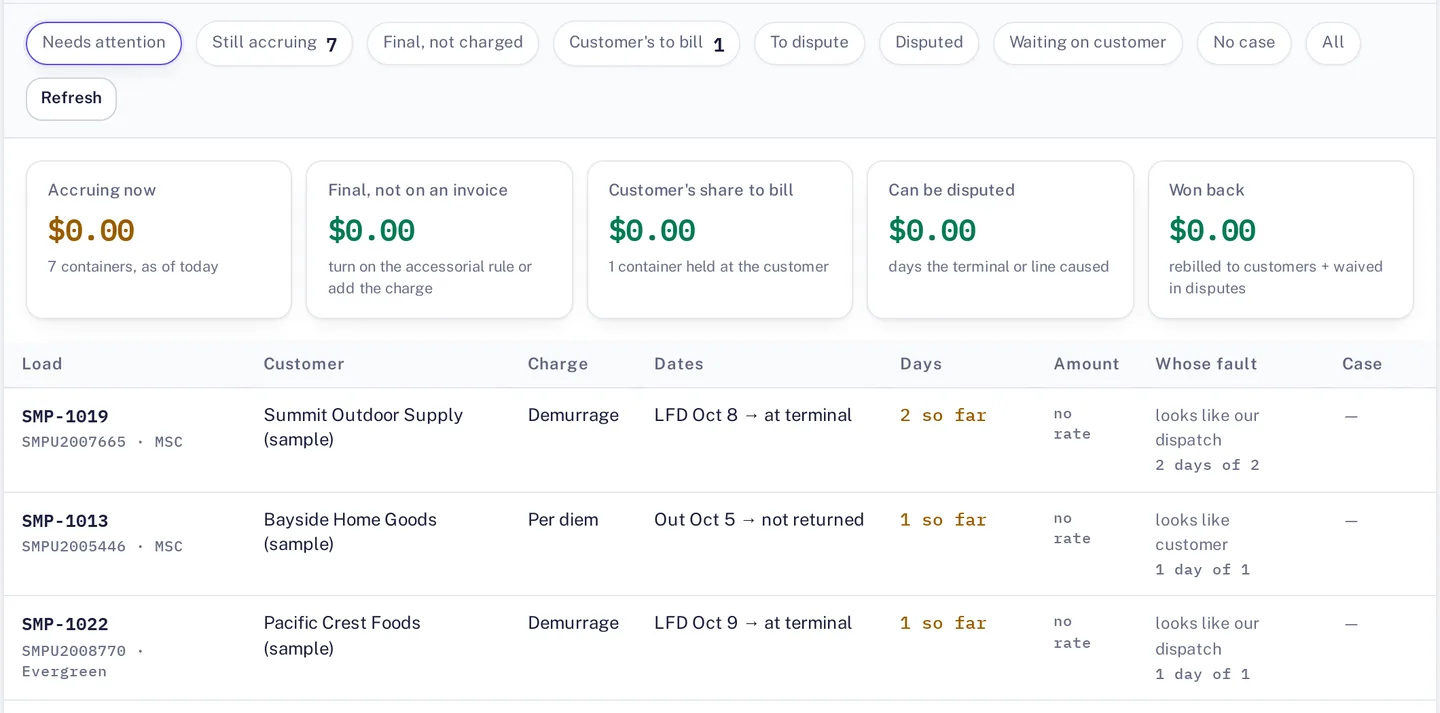
Completed loads land in a billing queue showing linehaul, margin and proof-of-delivery status. Tabs for per diem and chassis bills sit beside it, so extra charges are visible before an invoice goes out. The queue also holds credit memos and payments.
Credit limits can be set per customer, and aging and collections show what you are owed and by whom. A missed-charge finder looks for billable items before an invoice goes out. For margin and profit views see reports and analytics.
Payments
Dispatch Board syncs with QuickBooks Online and Xero, and with Google Sheets. Settlements for drivers, owner-operators and carriers are covered on the driver settlements page.
There are limits you should know before you start. QuickBooks Desktop is not supported and neither is EDI. If either decides your purchase, check that first. Your own Dispatch Board subscription is billed by card through Stripe; that is separate from the invoices you send your customers.
How it works
Step 1
Set up the rate profile, tariff and accessorial rules for the customer, or import them.
Step 2
Finish the load. It appears in the billing queue with linehaul, margin and proof-of-delivery status.
Step 3
Check the per diem and chassis bill tabs for charges to add or dispute, then invoice.
Step 4
Record payments and credit memos, and watch aging and collections for what is still owed.
Customer invoices are part of every plan. Which plan carries which module is on the pricing page.
Try it
Billing is the place to test with real numbers. Take a week of loads you have already invoiced, load them into Dispatch Board and compare the invoice it would produce with the one you sent. The difference is the finding, whichever way it goes.
Questions
Yes. Loads, invoices and pay can be in CAD or USD, which suits cross-border work.
Yes. Rates include a fuel surcharge table, alongside rate profiles, tariffs and accessorial rules.
You can import rates, tariffs and accessorial rules from Excel, CSV or a PDF rate sheet. Each row is validated before saving and duplicate entries are flagged.
QuickBooks Online and Xero, plus Google Sheets. QuickBooks Desktop and EDI are not supported.
Dispatch Board supports GST, HST, QST and PST. Check your own setup against your tax obligations in the trial.
Start a trial and see what is ready to invoice and what is missing.