Growing fleets
Several dispatchers, mixed drivers and customers who want to look things up.

Brokers and IMCs
If you sell container moves and hand them to partner carriers, Dispatch Board keeps the shipper’s view, the carrier’s view and your margin in one place, with no EDI and no automatic terminal booking.
Container brokers and intermodal marketing companies sit between a shipper who wants a box moved and a carrier who has a truck. Dispatch Board records both sides on the same load: what you quote and bill the customer, and what you owe the carrier. Brokerage is part of the Fully loaded plan, so it sits alongside the dispatch board if you also run trucks of your own.
You can see which loads are covered by a partner, which are waiting for a truck, and what each is expected to earn. Profit per load, per truck and per customer is reported, so you can see which carriers and lanes leave you money and which leave you chasing it.

Carriers get their own portal for brokered loads and carrier invoices. They can look up the loads you have given them and send invoices, so the invoices do not arrive as photos in a text message. Carrier logins are free, and you can give as many partners access as you need.

Customers get a portal with their loads, documents, projected charges, hot and ready-to-return dates and invoices. They can upload delivery orders themselves, and a public tracking link needs no login. Status emails and WhatsApp messages can be sent from the load, and an embeddable tracking widget can sit on your own site. The customer sees one provider, whichever carrier hauls the box.
On the Fully loaded plan, an orders inbox and order intake read emailed delivery orders and prepare the load for you to approve. You stay in control of what gets saved.
Container tracking through Terminal49 keeps availability and last free day on the load, and vessel arrival alerts come from five AIS providers with your own provider key. A Problems tab collects holds, last free days, late moves and missing information. For a broker the question is who pays when a box sits. Each per diem day is recorded with a reason, such as a terminal closure, a hold, container not available, a later appointment or a late customer delivery, so you can rebill the right party or dispute the charge with the line. The dispute letter carries dates, reasons and a packet of tracking events, appointments and closures.
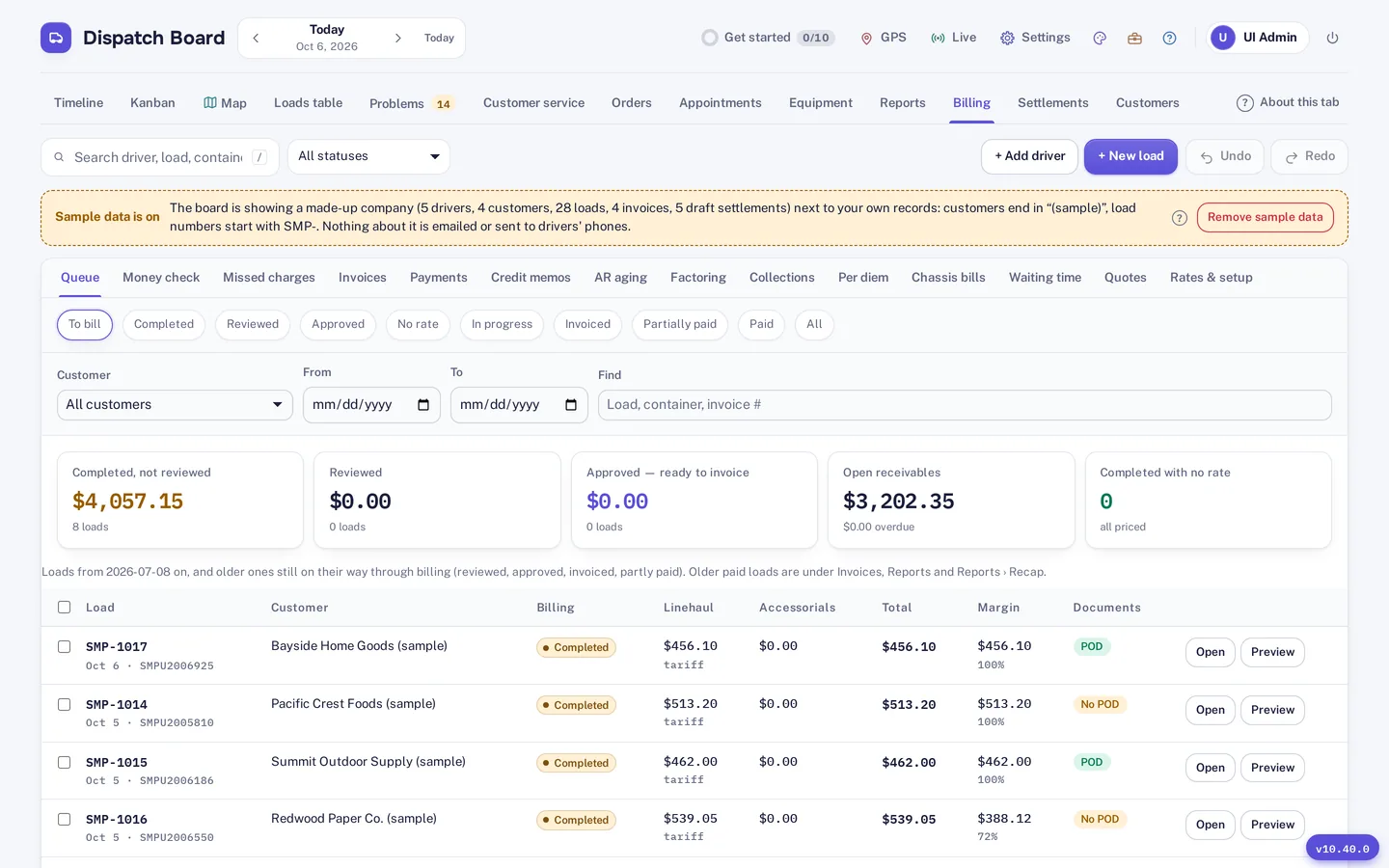
Rate profiles, tariffs and accessorial rules, including a fuel surcharge table, drive customer invoices. Carrier invoices and settlements cover the other side. Credit limits per customer, aging and collections help you watch the exposure you take on when you pay carriers before the customer pays you. QuickBooks Online and Xero sync is available. Canadian GST, HST, QST and PST, and CAD or USD, are supported on loads and invoices.
Dispatch Board does not use EDI with large customers, does not predict ETAs to alert your customers, and does not book terminal appointments automatically. It does not sync with QuickBooks Desktop, and its assistant answers questions rather than taking actions. If a large shipper requires EDI, you will need another way to receive its orders. See the PortPro comparison for a longer list of differences.
Fully loaded is $699 a month in Canadian dollars and includes 30 trucks, with extra trucks at $10 each. Brokerage, the orders inbox, container tracking and the public API are on that plan. A truck count matters less to a broker than to a carrier, so check how many trucks you would count. Plans are month to month, and a 14-day trial needs no card. Growing carriers with their own fleet may prefer the growing fleets page.
Self sign-up gives you a company with sample data and a get-started checklist, so you can look around before you enter anything of your own. Then bring in your real freight: import drivers, trucks, chassis, customers, rate tables and loads from Excel, CSV or a PDF rate sheet. The importer matches columns by heading, checks every row before saving and flags duplicates.
Add your terminals and their gate hours, invite your drivers to the driver app, and run a real week alongside your current system. The Help Center has a guide for every screen. A bar at the top of the board shows the days left in the 14-day trial, and the account owner gets an email two days before it ends. Plans are month to month, and you can download a backup file and a CSV of your loads at any time.
Questions
Yes, on the Fully loaded plan. Brokered loads go to partner carriers through the carrier portal, which also handles carrier invoices.
Yes. Public tracking links need no login, and the customer portal is available for customers who want to see documents and invoices.
No. There is no EDI. Delivery orders can arrive by email into the orders inbox and be read with order intake, and customers can upload their own.
No. It stores appointment rules, slot capacity and booking links, but booking is still done by your team or the carrier.
Carriers are a settlement type with deductions carried forward, and they can send invoices through the carrier portal.
Several dispatchers, mixed drivers and customers who want to look things up.
Loads, documents and tracking links for customers and carriers.
A sourced, row-by-row comparison with a check date.
Every company gets 14 days free with no card. Import a week of your own freight and judge it yourself.