Step 1
Answer
DispatchBot answers a plain question from your own data.
AI assistants
DispatchBot answers questions from your own data, order intake reads emailed delivery orders into loads, and document checks flag what is missing. You approve the result.
Overview
A lot of dispatch work is clerical. Someone reads a delivery order in an email and types it into a load. Someone looks up the last free day for a container. Someone reads a line’s email to find out when an empty can be returned. That work is repetitive, and mistakes in it are expensive.
The assistants in Dispatch Board take on the reading and the lookups and leave the decisions with you. They work from your own data. Some need an AI key or a plan that includes them; the AI assistant and the orders inbox are part of the Fully loaded plan. You can see what they do with your own paperwork in the trial.

AI Q&A
DispatchBot answers plain questions about containers, loads, drivers and last free days. Ask where a container is, or what the last free day is, and it answers from the loads already on your board. It answers questions. It does not take actions for you.
That makes it a quicker way to look something up, not a replacement for the board. The facts it gives you are the same ones behind container tracking and the dispatch board.

Email intake
Order intake reads emailed delivery orders into loads for review. A dispatcher checks the draft and decides, so a misread order does not end up on the board unseen. Customers can also upload delivery orders themselves in the customer portal.
A second email tool reads lines’ and terminals’ emails and pulls out empty return restrictions, which can then be kept by place, line, size and dates. Container numbers are checked for a valid check digit at intake and in the API.
Compliance help
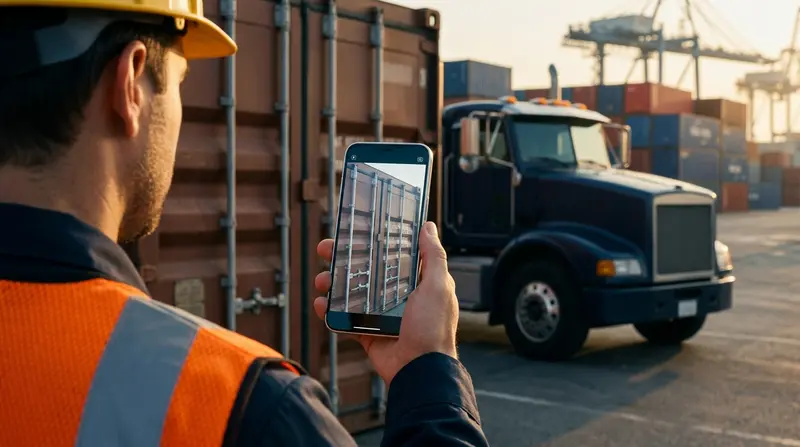
Document checks flag missing or mismatched paperwork. Import mapping help assists when you bring in spreadsheets, and every imported row is checked before saving, with duplicates flagged. The missed-charge finder looks for billable items before an invoice goes out.
On the highest plan, Plan day can ask Claude to propose a plan. Every pick is checked against the rules first, which means licences, endorsements, TWIC and driving hours still apply. The AI proposes and the rules decide what is allowed.
How it works
Step 1
DispatchBot answers a plain question from your own data.
Step 2
Order intake reads an emailed delivery order into a load for you to review.
Step 3
Document checks flag paperwork that is missing or does not match.
Step 4
On the highest plan, Claude proposes a Plan day and the rules check every pick.
Some assistants need an AI key or a plan that includes them. The AI assistant and the orders inbox are part of the Fully loaded plan.
Try it
The assistants are easiest to judge on your own paperwork. Use a few real delivery orders and a few real questions, and see whether the result saves you time. The trial is free, needs no card to start, and does not touch your current system, so you can compare side by side.
Questions
No. DispatchBot answers questions from your data. It does not take actions.
Order intake produces a load for you to review. The assistants help with reading and lookups, and the final call stays with you.
Document checks flag missing or mismatched paperwork. Check on your own documents in the trial to see what it catches.
Yes. Import mapping help assists with spreadsheets. Every row is checked before saving and duplicates are flagged.
No. On the highest plan, Plan day can ask Claude to propose a plan. Every pick is checked against the rules first, and you decide what to use.
Start a trial and feed it a few real delivery orders.