Step 1
Identify Charge Reasons
Open Billing > Per diem and read the reason beside each day. Days with nothing on record need attention first.
Per diem and detention
See why each charged day happened, bill the customer who caused it, and send the shipping line a dispute letter with the evidence.
Overview
In drayage, a container that stays out past its free time collects a per diem charge from the shipping line for every extra day. Waiting at a terminal gate or at a customer’s dock costs you detention time. Terminals close, containers sit on hold, appointments slip and customers take delivery late, and most of those causes are not the trucker’s fault.
The problem is that the invoice shows the days, not the causes. Unless the reason for each day was written down while it happened, you either absorb the charge or argue it from memory. Dispatch Board keeps the reason beside each charged day and the evidence behind it, so you can bill the customer who caused a day or dispute the day the terminal caused.
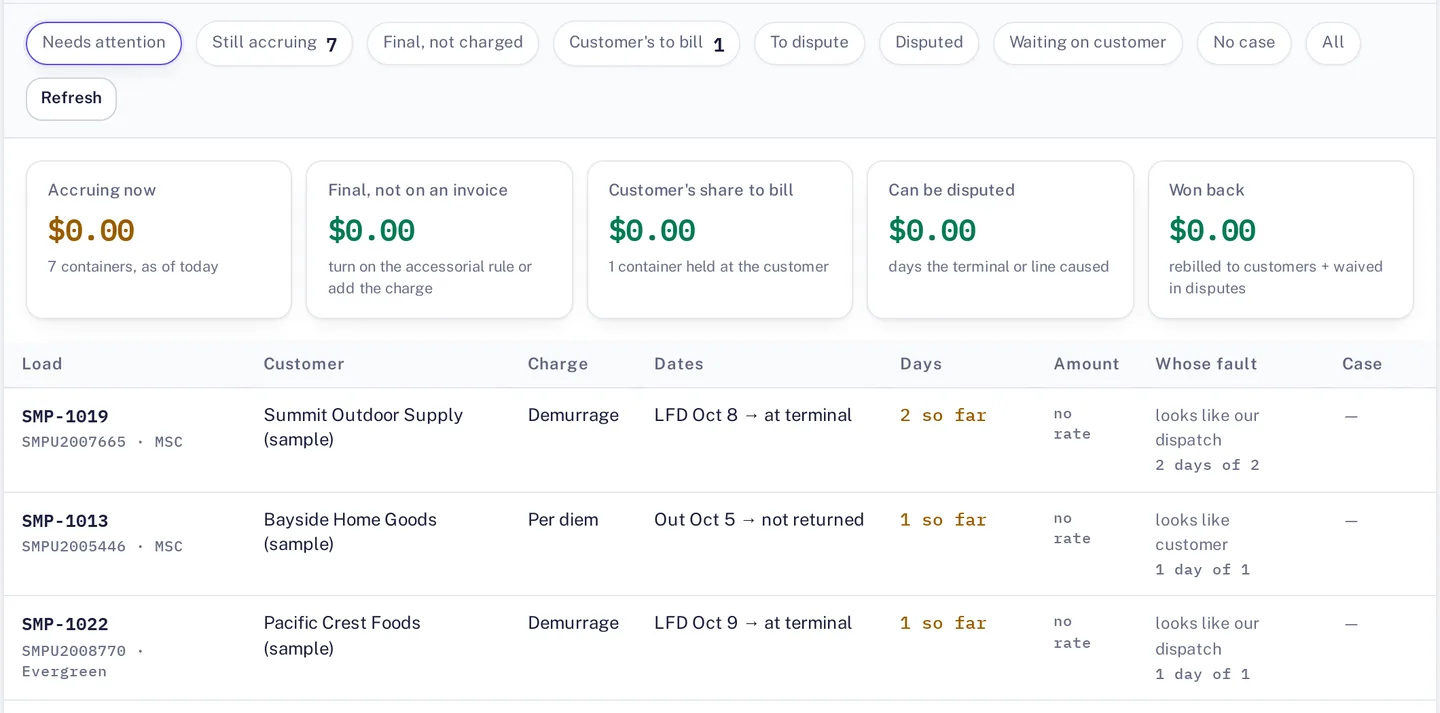
Daily Charges
The Billing > Per diem tab lists each container with the charge, the dates, the days so far and whose fault each day looks like. Totals for accruing and disputable days sit at the top, so you can see what is still building and what you can contest. Each charged day carries one of these reasons: terminal closure, hold, container not available, later appointment, late customer delivery, or nothing on record.
A day with nothing on record is the one to look at first. It is either a day you owe or a day where the paperwork is missing. Everything is hosted in the browser, so a dispatcher and the person doing the books look at the same list.
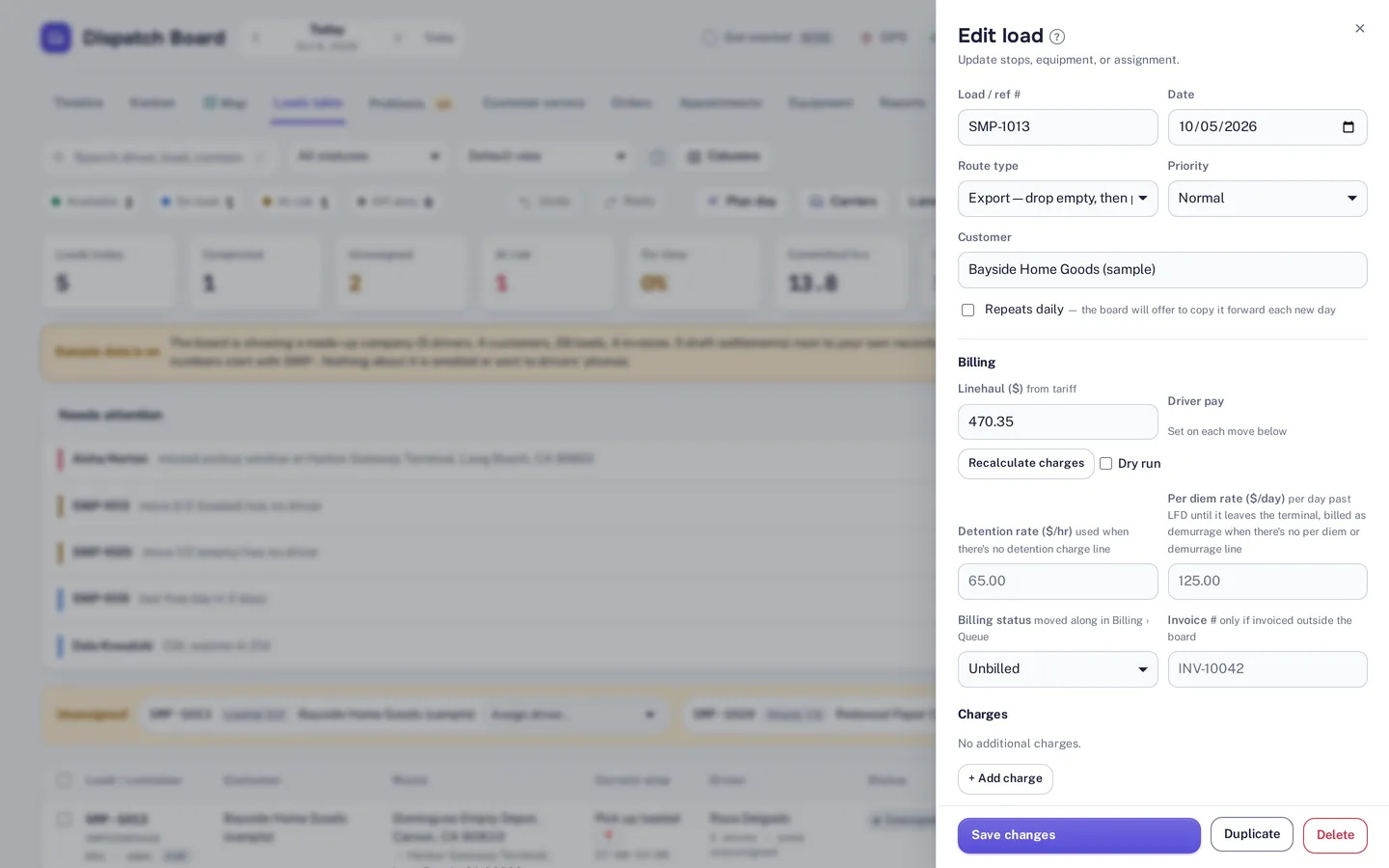
Quick Billing
When a day belongs to your customer, one click bills the customer’s share to the load, or to a replacement invoice. The detention and per diem rates are on the load beside its billing status and charges, so the amount comes from the same record. See invoicing and billing for what happens next.
When a day belongs to the line or the terminal, Dispatch Board prepares a dispute letter with the dates, the reasons and a packet of tracking events, appointments and closures. You then record the answer: waived, partly waived or denied. The tab shows what you won back.

Dispute & Audit
Detention starts with proof. The waiting-time audit shows the GPS pings inside the geofence and keeps wait documents, so a claim to a customer or terminal rests on evidence. The missed-charge finder looks for billable items so they are not forgotten.
The Money Check turns it into one figure: unbilled detention, missed charges, per diem to bill or dispute, and chassis charges to dispute. Tick one box and it arrives by email every Monday. Chassis invoices have their own checker, covered on the chassis management page.
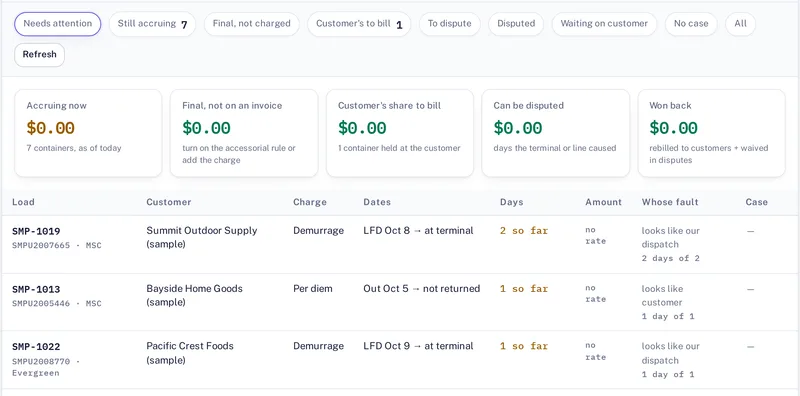
How it works
Step 1
Open Billing > Per diem and read the reason beside each day. Days with nothing on record need attention first.
Step 2
Bill the customer’s share to the load in one click, or to a replacement invoice, for days the customer caused.
Step 3
For days the line or terminal caused, prepare the dispute letter with its packet of tracking events, appointments and closures.
Step 4
Record the answer, then check the Money Check to see the unbilled detention, missed charges and charges still to dispute.
Per diem tracking needs your containers and dates on the board. Container tracking through Terminal49 is part of the Fully loaded plan.
Questions
Per diem is a daily charge from the shipping line when a container stays out past its free time. Detention is the charge for time a truck or container is held up, for example at a gate or a customer’s dock. Which charge applies, and who pays, depends on your contracts.
Each charged day is shown with a reason: terminal closure, hold, container not available, later appointment, late customer delivery, or nothing on record. Those reasons appear per container in the Per diem tab.
Dispatch Board prepares the dispute letter with the dates, reasons and a packet of tracking events, appointments and closures. You send it to the line, then record whether it was waived, partly waived or denied.
Money Check totals unbilled detention, missed charges, per diem to bill or dispute, and chassis charges to dispute. You can tick a box to have the total emailed every Monday.
The waiting-time audit shows GPS pings inside the geofence and keeps wait documents, so you have evidence of how long a truck waited.
Start a trial and load a week of real moves to see which days carry a reason.