Step 1
Customers
Sign in to a portal showing only their own freight, with your logo and company name.
Customer portal
A portal where customers see their own containers, no-login tracking links, a carrier portal for brokered loads and a widget for your own website.
Overview
In drayage, customers call to ask where a container is, when it can be picked up and what it will cost. Each call interrupts a dispatcher who is trying to cover moves. Most of the answers are dates and statuses that already exist in your system, so the work is getting them in front of the person asking.
Dispatch Board does that with a customer portal, public tracking links and a carrier portal for brokered loads. The system is hosted, so customers need only a browser. Customer logins are free. The customer portal is part of the Medium plan and above.
Customer Portal
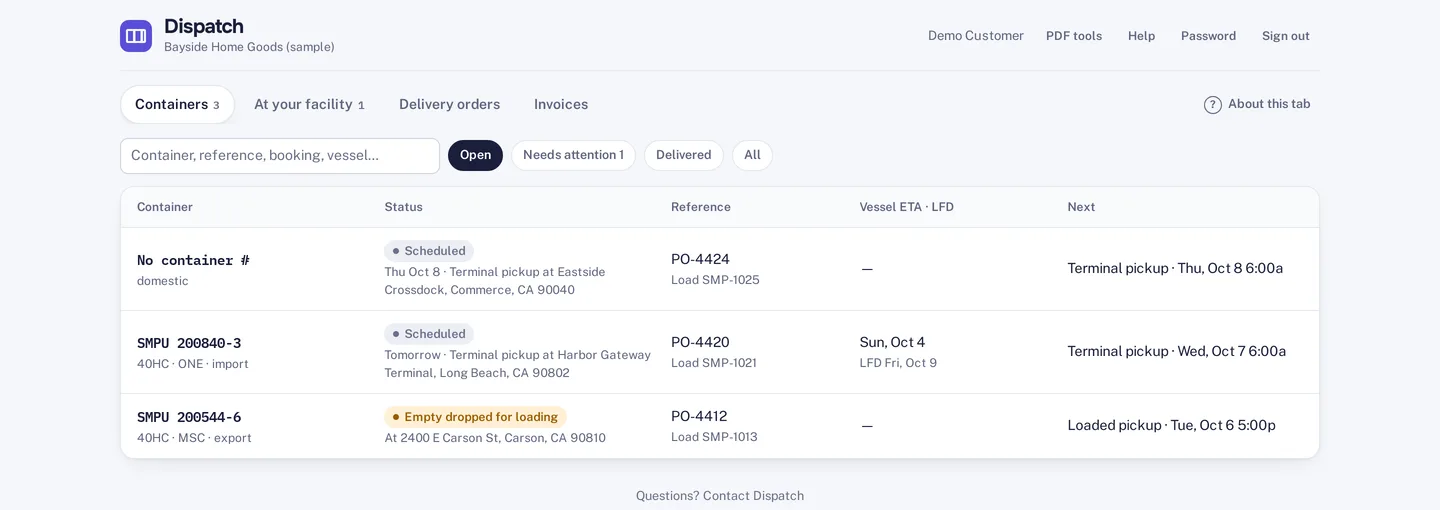
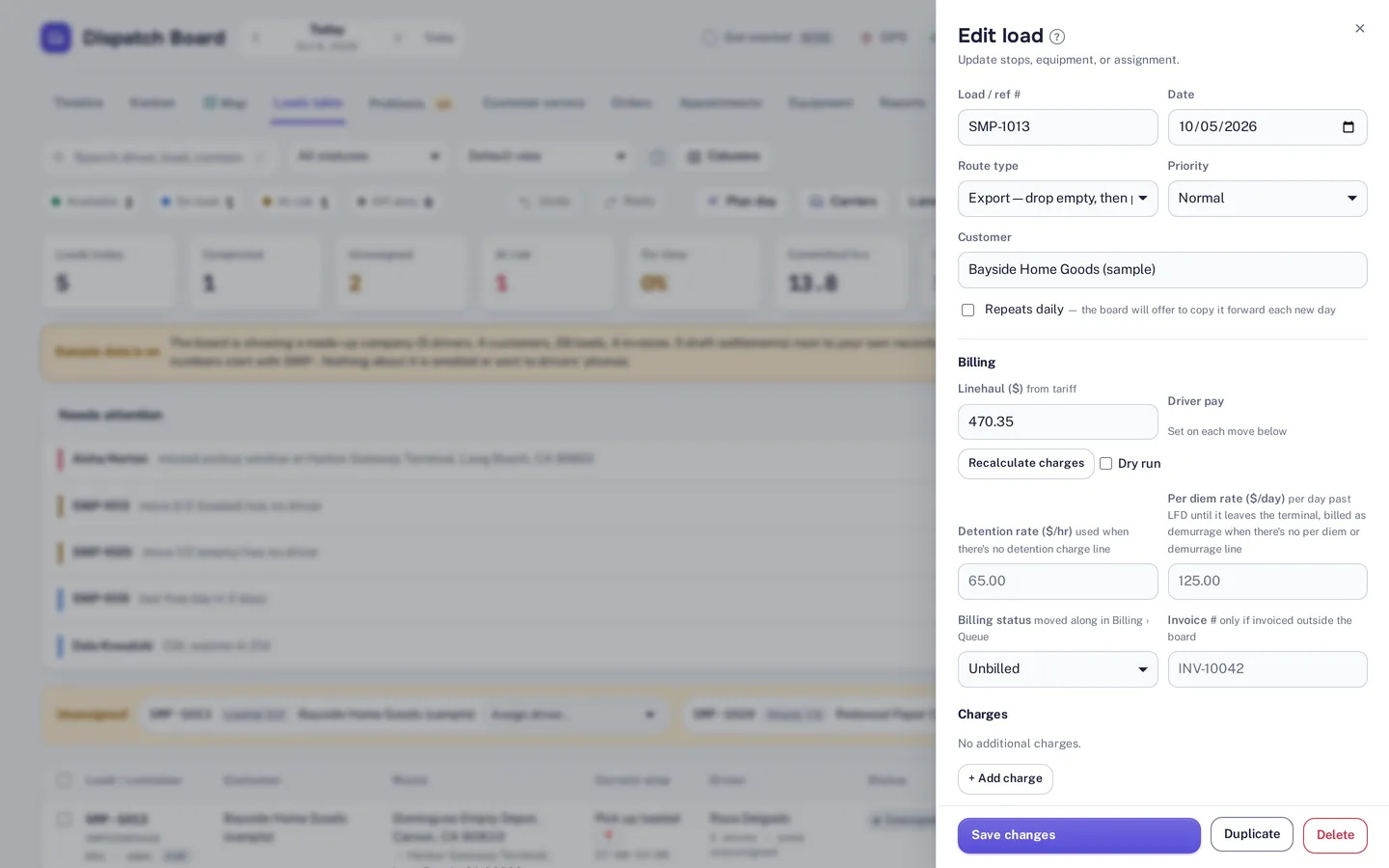
In the customer portal, customers see their own loads, documents, projected charges, hot and ready-to-return dates and invoices. Each customer sees only their own freight, and your logo and company name appear on what they see. The list shows containers with status, reference, vessel ETA, last free day and the next step.
Customers can upload delivery orders themselves, which saves re-typing from emails. The ETA and last free day come from container tracking, and invoices come from invoicing and billing, so the portal shows the same facts your office works from.

Public Links
Anyone with a public tracking link sees live status without logging in. That suits the people who need one answer, such as a consignee or a warehouse, and who will never have a login. Status emails and WhatsApp messages can also carry updates out, so people do not have to come looking.
If you want tracking on your own website, an embeddable tracking widget is available. Visitors can look up a shipment without leaving your page.

Carrier & Broker Communication
If you broker loads out, carriers get their own portal. They see the moves you give them and send back their invoices. Carrier logins are free, as are driver and customer logins. Brokerage is part of the Fully loaded plan.
That keeps carrier paperwork inside the same system as your own loads, which helps when you check what you owe against what you billed. See the integrations page for what the system connects to.
How it works
Step 1
Sign in to a portal showing only their own freight, with your logo and company name.
Step 2
Open a tracking link and see live status with no login.
Step 3
Use the carrier portal for brokered loads and carrier invoices.
Step 4
Look up a shipment in the embeddable tracking widget on your own site.
Not included: automatic appointment booking in terminal systems such as eModal. Which plan carries what is on the pricing page.
Try it
A portal is only useful if your customers will actually use it. Pick one customer who calls often and give them a login during the trial. Watch whether the calls change. The trial is 14 days, with no card needed to start, and customer logins are free.
Give the portal the same scrutiny your customers will. If a customer would ask a question the portal does not answer, that is worth knowing before you roll it out. The tracking link and the widget are worth testing with someone outside your company.
Questions
It is a link anyone can open in a browser to see live status for a shipment. No login is needed.
Yes. Customers can upload delivery orders themselves in the customer portal.
No. Dispatch Board is a hosted solution. All you need is a web browser and internet connection to access the portal, carrier portal and tracking links.
No. Customer, driver and carrier logins are free. Dispatcher and admin logins are unlimited on every plan.
No. Each customer sees only their own freight in the portal.
Start a trial and give a customer a portal login.