Step 1
Import chassis data
Add chassis to your equipment list, by hand or by importing from Excel or CSV.
Chassis management
Keep every chassis on record with its insurance and registration, let drivers pick a free one in the app, and check pool invoices against your own dates.
Overview
Most container moves need a chassis, and chassis come from pools or from your own fleet. When a pool such as DCLI, TRAC or Flexi-Van bills you, the invoice lists days and amounts, and it is easy to pay it without checking. A day billed after the chassis was returned, a chassis you never had, or the same day billed twice all look normal on a long invoice.
Dispatch Board keeps chassis as equipment records and compares pool invoice lines with the dates your loads actually had the chassis. That turns an invoice you would normally pay into a short list of lines to dispute. The same records carry insurance and registration, so the equipment side stays in order too.
Compliance Records
Truck, chassis and trailer records hold insurance and registration. The compliance calendar tracks expiries, which is covered on the fleet and compliance page. You can import chassis from Excel or CSV when you start, and every row is checked before saving, with duplicates flagged.
A yard list shows containers you are holding, with days on the ground, a spot, the per diem clock and the next move. Chassis sitting with those boxes are part of the same picture, which makes it easier to see where equipment is tied up.

Driver App
In the driver app, a driver picks a free chassis from your equipment list. That puts a chassis against the move from the driver’s own phone, rather than leaving it to a call or a text message to the office. The app is a web app drivers add to the home screen, so there is nothing to install from an app store.
Accurate dates on who had which chassis are what the bill checker compares against. The better the board knows when a load had a chassis, the more reliable the check. See the driver app page for the rest of what drivers can do.
Billing Tools
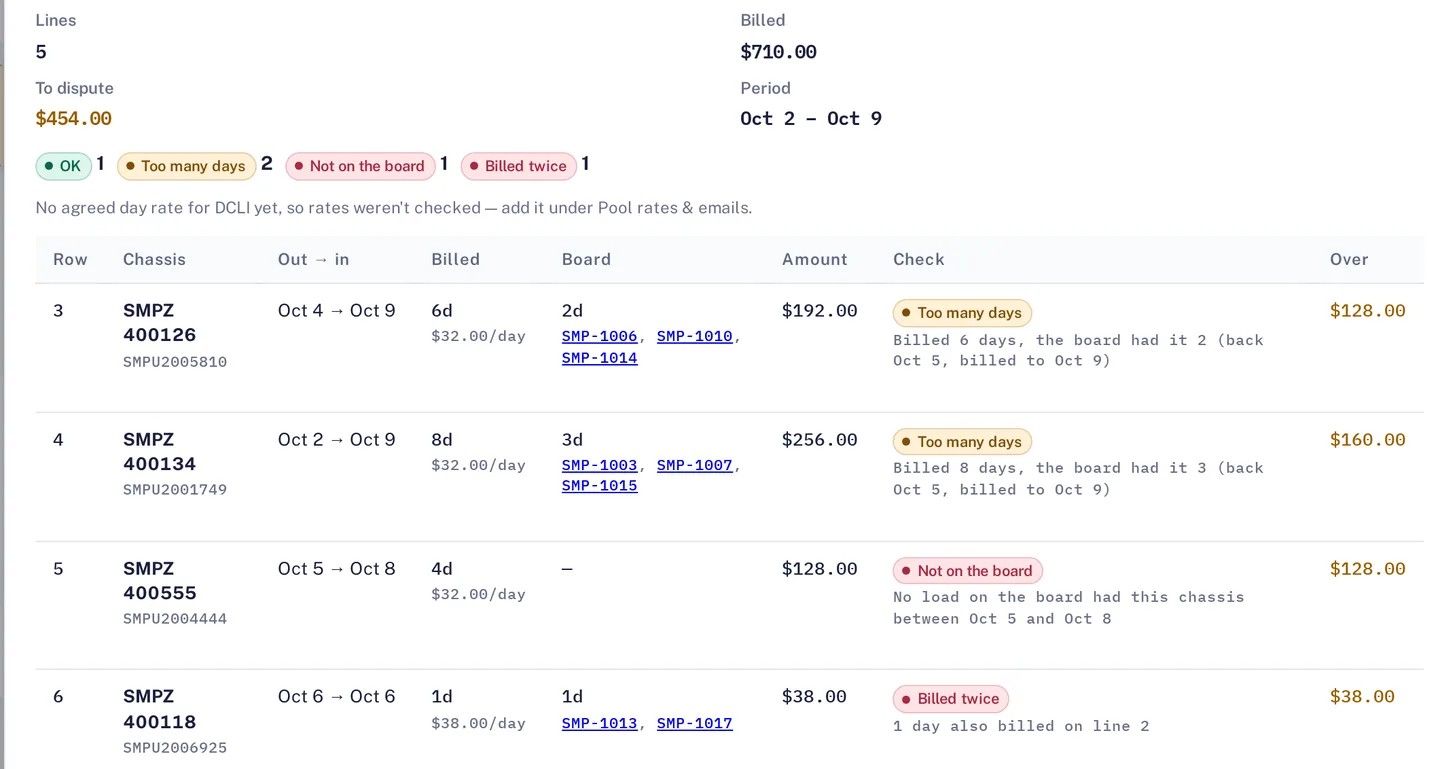
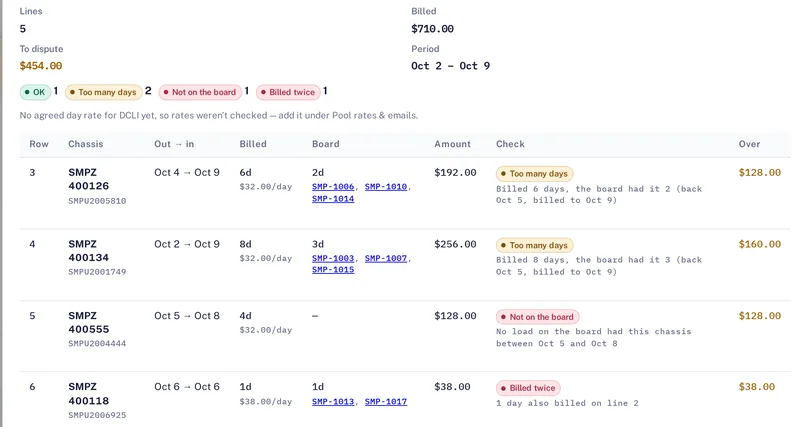
Upload a DCLI, TRAC or Flexi-Van invoice and the checker compares each line with when your loads actually had the chassis. Lines are marked, for example, too many days, not on the board, or billed twice, with the amount to dispute for each line. A dispute letter and a CSV of the lines are ready to send to the pool.
The result is a short list rather than a long invoice. The Money Check adds the chassis charges to dispute into its single figure, with an optional Monday email. See per diem and detention for the container side of the same idea.

How it works
Step 1
Add chassis to your equipment list, by hand or by importing from Excel or CSV.
Step 2
Drivers pick a free chassis in the app, so the board holds the dates the chassis was in use.
Step 3
Upload the pool’s invoice in the billing area. Each line is compared with your loads.
Step 4
Send the dispute letter and CSV for the lines that do not match.
The chassis bill checker needs your loads and dates on the board. It checks what the board knows, so keep chassis picks and returns current.
Questions
It works with DCLI, TRAC and Flexi-Van invoices. Each line is compared with when your loads actually had the chassis.
Yes. You can import chassis from Excel or CSV files. The system validates each row and flags duplicates before the data is saved.
Lines are marked, for example, too many days, not on the board, or billed twice, with the amount to dispute for each line.
Dispatch Board prepares a dispute letter and a CSV of the lines, ready to send. Whether a pool accepts a dispute is up to the pool.
Yes. Truck, chassis and trailer records carry insurance and registration, and the compliance calendar tracks expiries.
Start a trial, load last month’s moves and upload a pool invoice to see which lines are flagged.