Step 1
Open the Dispatch Board
Log in to the hosted board and open the timeline, the Kanban columns or the map. There is nothing to install.
Dispatch board
A timeline by driver, Kanban columns and a live map, with a one-click Plan day that plans around your drivers’ real limits.
Overview
Container trucking in the US and Canada moves freight between ports, warehouses and final destinations. Each missed minute can mean missed appointments, detention charges and higher per‑diem costs. Drivers must obey licences, endorsements, TWIC cards and Hours‑of‑Service rules, while shippers expect on‑time delivery. Coordinating dozens of trucks across multiple terminals without a shared view often leads to empty miles, late moves and costly holds. A clear, up‑to‑date picture of who is where and what each load requires is essential to keep cash flow positive and keep customers happy.
Dispatch Board gives you that picture in a browser, with nothing to install. You see a timeline by driver, Kanban columns and a live map of trucks, loads and terminals. Plan day drafts the whole fleet’s day within hard limits for licences, endorsements, TWIC, 11 hours driving and 14 on duty, and hold alerts show before a driver is sent. Travel times are learned from your own drivers’ completed stops. Try the 14-day free trial with your own loads to see how it fits.
At a glance
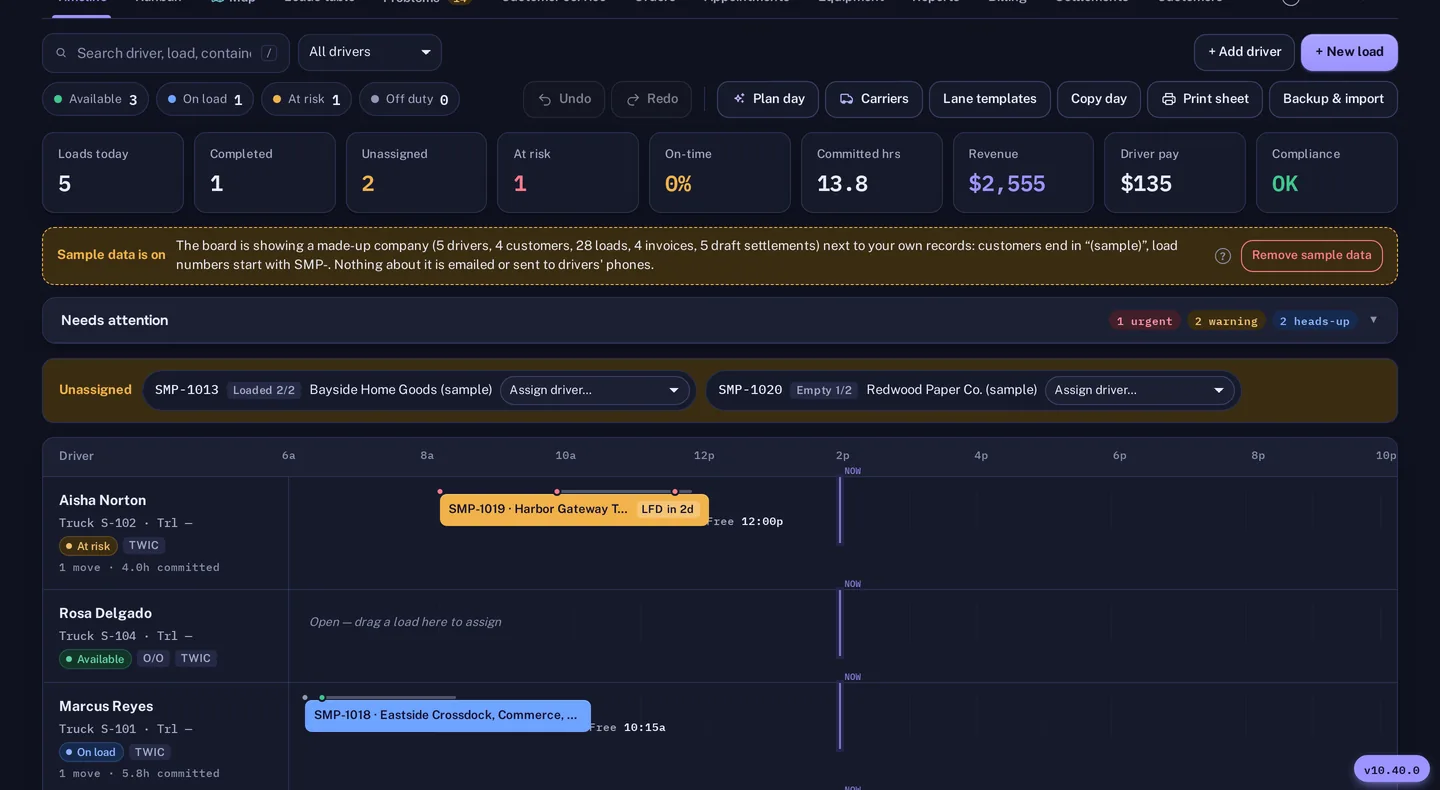
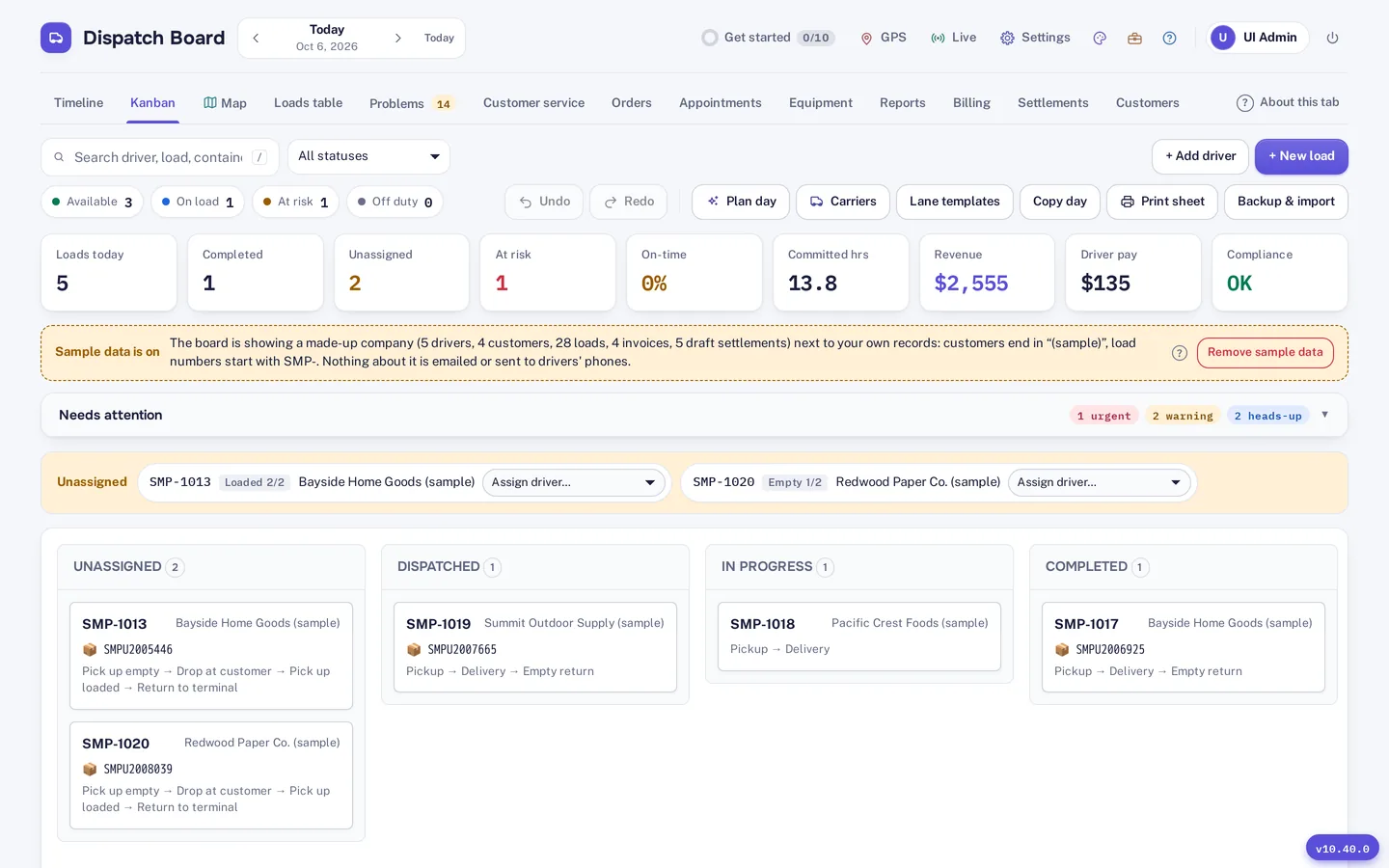
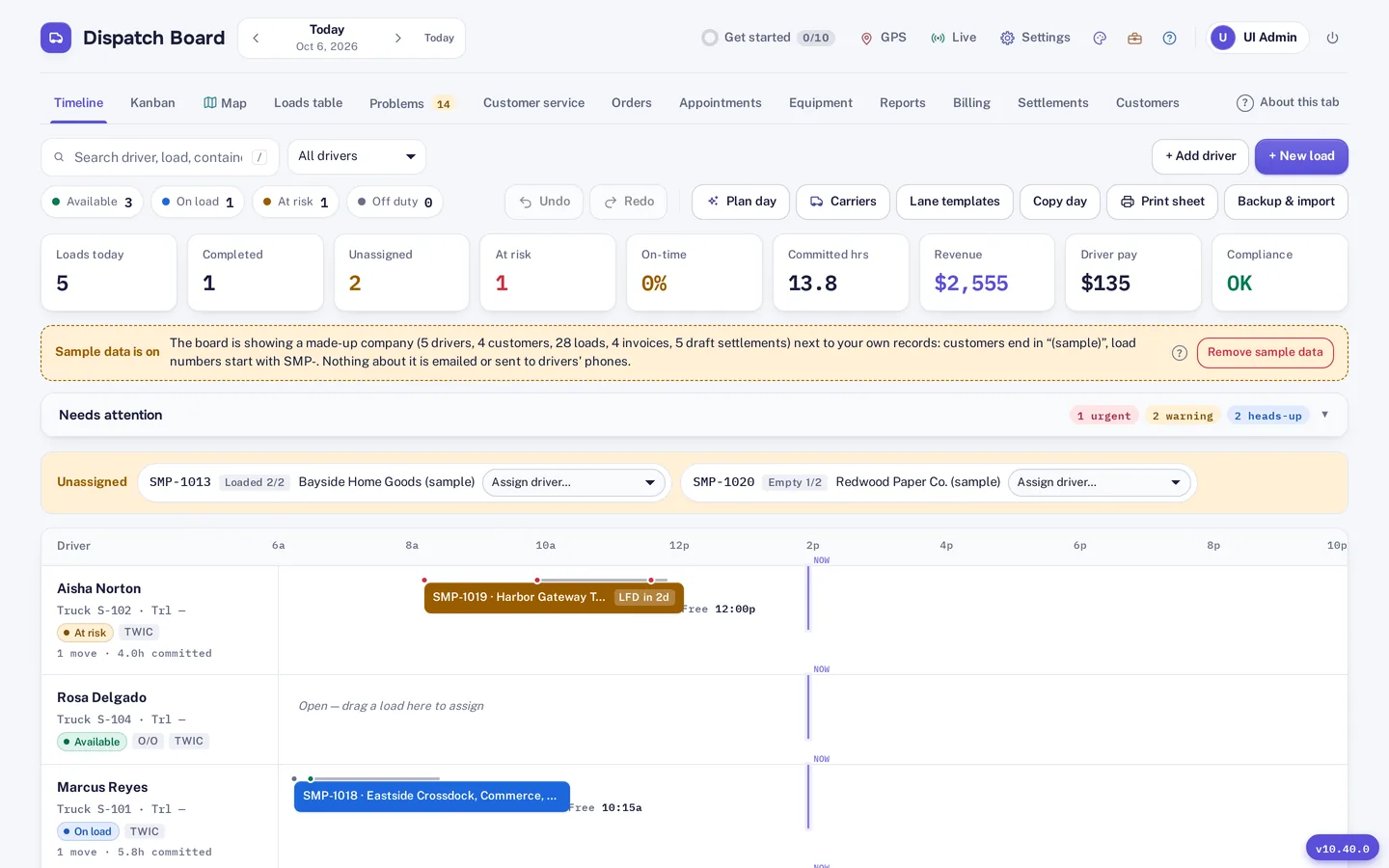
The board shows a timeline by driver, with each driver’s day laid out by hour so you can see how the day fits together. The Kanban view groups the same loads into Unassigned, Dispatched, In progress and Completed, which gives a quick read on what is covered and what is not. A live map shows trucks, loads and terminals together.
The screenshots on this page show driver lanes by hour, load chips, status counts and a day summary. Switch between views as the day changes: the timeline when you are placing work, Kanban when you are chasing what is still open, and the map when a driver or a terminal is the question. For the wider picture see container tracking and the driver app.
Quick assignment
You assign a load by dragging it onto a truck or a driver, and you can undo the assignment if you change your mind. That is the everyday move on the board. For the whole fleet, Plan day drafts the day in one click and explains each pick, so a dispatcher can agree or override with the reasoning in front of them. Pin the rows you like and Plan day plans around them.
Plan day applies hard limits to every pick: licences, endorsements, TWIC, 11 hours driving and 14 on duty. Travel times come from your own drivers’ completed stops, so the draft reflects how your routes really run. It shows empty miles and the late minutes it saved, so you can judge a plan before you commit to it.

Exception handling
The Problems tab collects holds, last free days, late moves and missing information in one place, so a dispatcher works the exceptions instead of hunting for them. Hold alerts appear before a driver is sent, and Plan day avoids a shut gate. Street turn and dual transaction suggestions are offered on the board too.
A customer service week grid shows the next seven days. Recurring lanes cover work you repeat, and bulk import brings in a pile of loads at once from Excel, CSV or a PDF rate sheet. Every row is checked before anything is saved, and duplicates are flagged.
How it works
Step 1
Log in to the hosted board and open the timeline, the Kanban columns or the map. There is nothing to install.
Step 2
Drag a load onto a truck or a driver. Undo is there if you change your mind.
Step 3
Click the Plan Day button to draft the whole fleet’s schedule with one click. The planner shows empty miles, late minutes saved and respects all hard limits.
Step 4
Open the Problems tab to see holds, last free days, late moves and missing information, and sort them out before the day gets away from you.
Not included: automatic appointment booking in terminal systems such as eModal, QuickBooks Desktop sync and EDI.
Questions
Plan day shows empty miles and the late minutes it saved, so you can judge a draft before you commit to it. You can pin the rows you want to keep and let it plan around them.
The planner treats licences, endorsements, TWIC, 11 hours driving and 14 on duty as hard limits for every driver it plans.
No. Travel times are learned from your own drivers’ completed stops, so the planner works from how your routes actually run.
Yes. You can import drivers, trucks, customers, rates and loads from Excel, CSV or a PDF rate sheet. Every row is checked before saving and duplicates are flagged.
Dispatch Board does not book terminal appointments automatically in systems such as eModal, it does not sync with QuickBooks Desktop, and it does not do EDI. You can set appointment rules and slot capacity and use booking links.
Start a trial and load a week of real moves.