Step 1
Connect your data source
Enter your Terminal49 credentials or AIS API keys in the integration settings. The system validates the keys before it starts pulling data.
Integrations
Learn which systems Dispatch Board links to and what it does not, so you can match it to your drayage workflow.
Overview
Container trucking companies rely on many external data sources. Terminals publish container availability, vessels report arrival times, and carriers need accounting software to keep books straight. When these sources are silos, you spend time manually copying data, reconciling mismatches, and risking missed appointments that cost money in demurrage fees and lost capacity.
A single platform that pulls in the right feeds can reduce those manual steps. It lets you see the same data your partners use, keep your financial records up to date, and avoid costly paperwork. Try the 14‑day free trial with your own data to see how the connections fit your operation.

Core connections
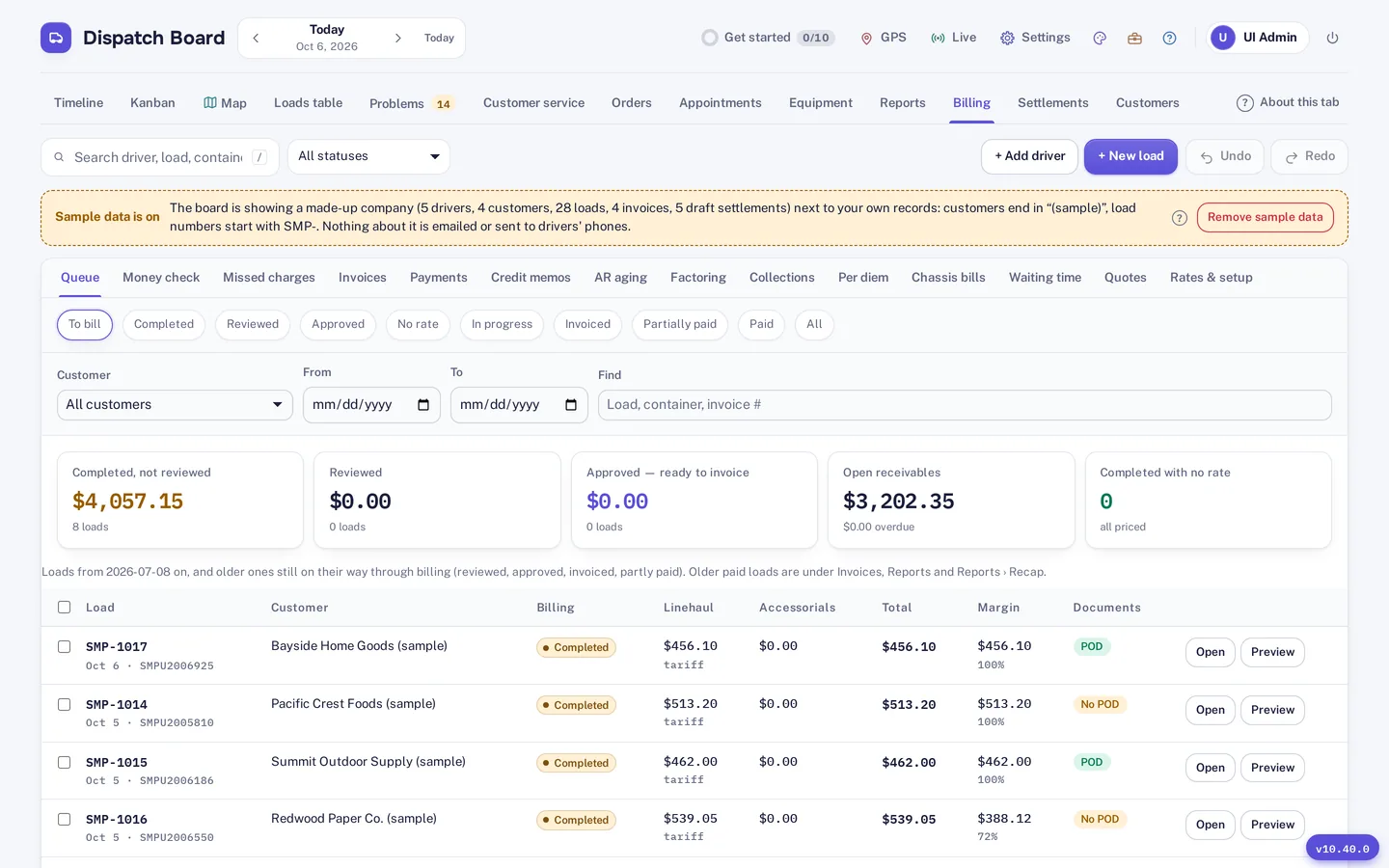
Dispatch Board pulls container status from Terminal49, showing you availability and the last free day for each container. It also receives vessel arrival alerts from five AIS providers—VesselFinder, MarineTraffic, Datalastic, AISHub, and AIS Stream—so you know when a ship is approaching the port. Financial data flows in from QuickBooks Online and Xero, keeping invoices and payments synchronized without extra uploads. Google Sheets sync and Google sign‑in let you work with familiar spreadsheets and use a single login across the system.
Beyond data imports, the platform offers webhooks and a public API that developers can call to push or pull information programmatically. The API is part of the Fully loaded plan, and the system validates container numbers with a check‑digit routine both in the intake forms and via the API. These integrations let you automate reporting, update external dashboards, or feed data to trucking dispatch tools.
Missing links
Dispatch Board does not provide automatic appointment booking in terminal systems such as eModal. If your terminal requires a separate booking interface, you will need to continue using that system alongside Dispatch Board. The platform also lacks support for QuickBooks Desktop and electronic data interchange (EDI), so you cannot push invoices or orders directly to those legacy formats.
Because these connections are not part of the product, you should verify whether your current workflow depends on them before choosing a plan. If you need those capabilities, you may have to maintain a parallel process or look for a supplemental tool.

Additional tools
Each company keeps its own database, files, and logins, so you control data access. New users can self‑sign‑up, load sample data, and follow a get‑started checklist, reducing onboarding time. Two‑factor sign‑in displays the country of each login, adding a layer of security without extra configuration.
The board offers eight visual styles, backup file and CSV downloads, and a Help Center with guides for every screen. You can also import drivers, trucks, chassis, customers, rates, and loads from Excel, CSV, or PDF rate sheets; the system checks each row for duplicates before saving.

How it works
Step 1
Enter your Terminal49 credentials or AIS API keys in the integration settings. The system validates the keys before it starts pulling data.
Step 2
Link your QuickBooks Online or Xero account by authorizing the OAuth connection. Once authorized, invoices and payments appear automatically.
Step 3
Provide a Google Sheet URL or webhook endpoint. Dispatch Board will push load details or status changes on each update.
Step 4
Developers can call the public API to read container status or create loads, following the API documentation included with the Fully loaded plan.
Not included: automatic appointment booking in terminal systems such as eModal, QuickBooks Desktop, and EDI.
Try it
Connections are the part of any system that most often disappoints, so test the ones you depend on first. Make a short list of the outside systems you use today, and mark which of them appear on this page. Anything on your list that is not on this page is not supported.
Questions
You can view container availability through Terminal49 and receive AIS alerts, but automatic booking in terminals like eModal is not supported. You will need to continue using the terminal’s native booking interface.
Yes. The platform syncs with QuickBooks Online and Xero. It does not sync with QuickBooks Desktop, so you would need a separate process for that version.
Vessel arrival alerts come from five AIS providers—VesselFinder, MarineTraffic, Datalastic, AISHub, and AIS Stream—so you receive early warning of inbound ships without additional configuration.
You can download backups and CSV files, and you can also sync data to Google Sheets or use webhooks to feed a custom reporting tool.
Webhooks and the public API let you push or pull information programmatically. The API is included in the Fully loaded plan, and you can build custom integrations on top of it.
Start the free trial and test the integrations with your own data.